Video to MP3 Online Free: Extract Audio the Smart Way in 2026
Sometimes you only want the sound. A lecture you want to revisit on your commute, a song from a live clip, or a podcast recorded as video all share the same problem: the audio is trapped inside a bulky video file. Converting video to MP3 online free sets that audio loose, giving you a lightweight file you can play anywhere. In 2026, browser-based converters make this a two-minute job with no software to install.
This guide covers why audio extraction is so useful, how the conversion works, and how to get clean results without bloated files. Whether you learn on the go or build an audio library, these steps will serve you well.
Why Convert Video to MP3 Online Free?
MP3 files are small, portable, and universally supported. Stripping the video away can shrink a file by 80% or more, which saves storage and makes downloads faster. Your phone, car stereo, and smartwatch all play MP3 without complaint.
Audio-only also respects your attention. When you just need to listen, a video forces your screen to stay on and drains the battery. An MP3 lets you lock the phone and keep listening.
Video versus audio-only
| Factor | Original video | Extracted MP3 |
|---|---|---|
| File size | Large | Small |
| Battery use | High | Low |
| Offline play | Heavy | Easy |
| Device support | Varies | Universal |
How Audio Extraction Actually Works
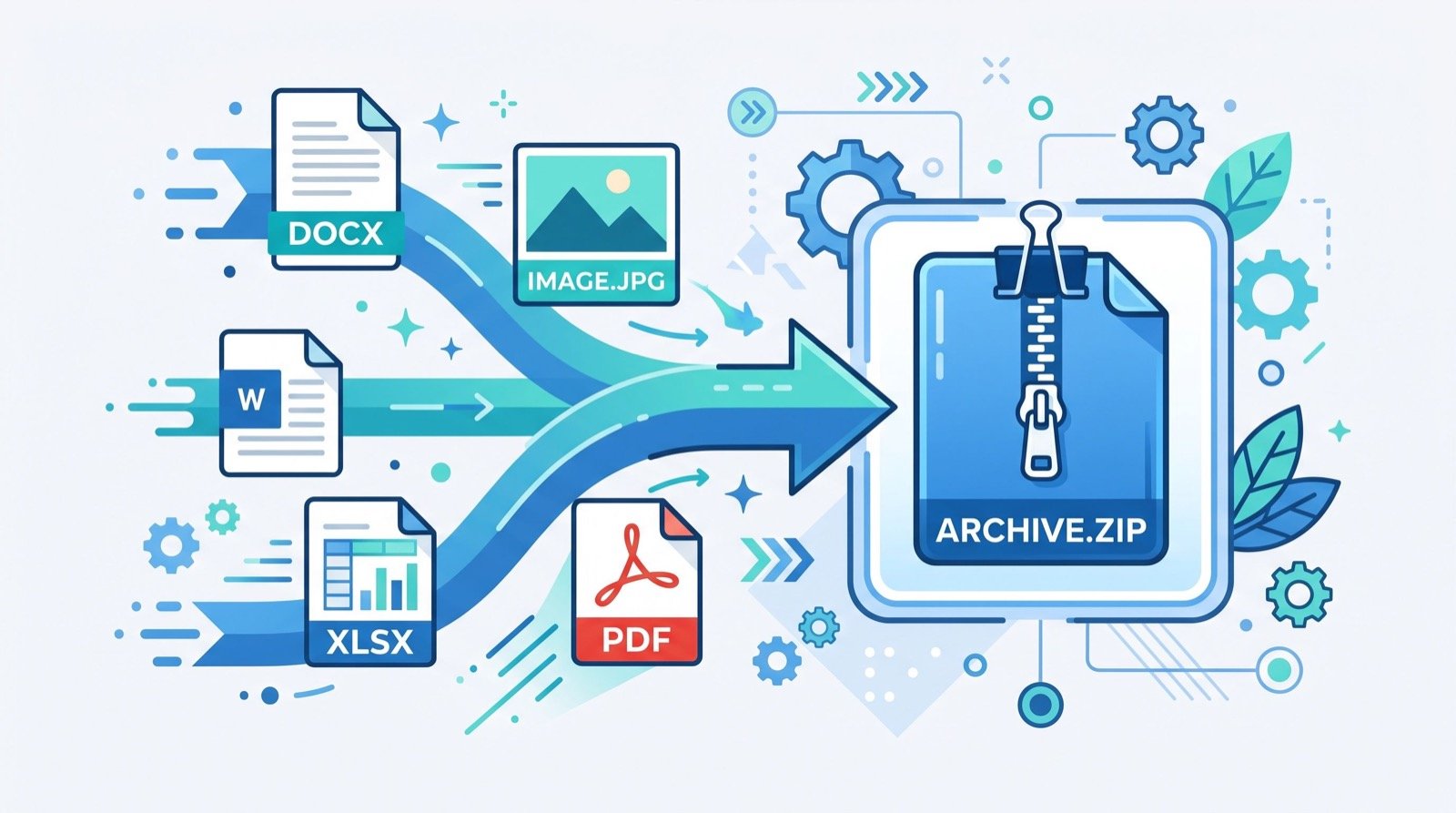
A video file bundles separate video and audio streams inside a container. Conversion simply pulls out the audio stream and re-encodes it as an MP3 at your chosen bitrate. The visual data is discarded entirely.
Bitrate controls the quality-to-size tradeoff. A 128 kbps file is compact and fine for speech, while 256 or 320 kbps preserves music detail at a larger size.
Step-by-step extraction
- Open a trusted tool to convert video to MP3 online free in your browser.
- Upload your video file or drag it into the window.
- Choose your bitrate based on speech or music.
- Start the conversion and wait a few seconds.
- Download your finished MP3 and sync it anywhere.
When the tool processes files locally, your videos never upload to a server, which keeps private recordings private.
Smart Uses for Extracted Audio
Once the audio is free, it fits into all kinds of routines. These are the uses I rely on most.
- Turning recorded lectures into commute-friendly listening.
- Saving interview audio for transcription later.
- Building a playlist from live performance clips.
- Keeping podcast episodes that were only posted as video.
- Extracting sound bites for a presentation.
Learning by ear works best in focused sessions. I pair my extracted lecture audio with a pomodoro timer, listening in 25-minute blocks with short breaks. The combination keeps my attention sharp and turns passive listening into real retention.
A tip worth remembering
Match the bitrate to the content. For voice-only recordings, 96 to 128 kbps sounds clear and keeps files tiny. Save the 320 kbps setting for music, where the extra detail is actually audible. Choosing wisely can halve your storage use without any noticeable quality loss for speech.
Is It Legal to Convert Video to MP3?
Legality depends on ownership and permission. Converting your own recordings or content you are licensed to use is perfectly fine. Extracting copyrighted music or media you do not own, however, can breach copyright.
Always respect the rights of creators. The U.S. Copyright Office fair use FAQ explains the limited situations where reuse may be allowed, and it is worth reading before you convert anything you did not create.
For businesses producing training libraries or podcasts at scale, it helps to work with quality service providers who understand licensing and can keep your audio catalog compliant.
Getting Clean, Reliable Results
A few simple habits keep your MP3s crisp and your workflow smooth.
- Start from the highest-quality video source you have.
- Pick a bitrate that matches speech or music.
- Rename files clearly so your library stays organized.
- Keep the original video until you confirm the audio is perfect.
Choosing the Right Bitrate for Your Audio
Bitrate is the single biggest lever on MP3 quality and size. Picking the right one means your files sound good without wasting storage. The best choice depends entirely on what you are listening to.
Spoken word tolerates heavy compression because the human voice occupies a narrow frequency range. Music is the opposite, since cymbals, strings, and bass need headroom to breathe.
Bitrate reference chart
| Content type | Bitrate | Result |
|---|---|---|
| Voice, lectures | 96–128 kbps | Clear, tiny files |
| Podcasts | 128–192 kbps | Balanced quality |
| Music | 256–320 kbps | Rich, detailed sound |
Building an Audio Library You Will Actually Use
Extracting audio is only half the job; organizing it determines whether you ever listen again. A tidy library turns scattered files into a resource you return to daily.
- Name files with the topic and date, not the original video title.
- Group recordings into folders by subject or course.
- Tag ID3 metadata so players show proper titles and artists.
- Back up the collection to the cloud for cross-device access.
I keep a single folder of commute lectures, each renamed and tagged the moment I convert it. That two-minute habit means I never scroll through cryptic filenames while driving, and the whole library syncs to my phone automatically.
Playback tips that improve retention
How you listen matters as much as what you save. Variable playback speed lets you move through dense lectures faster without losing comprehension, and most phone players support it natively for MP3 files.
Try listening at 1.25x for familiar material and dropping back to normal speed for difficult passages. Pair that with short, focused sessions and you will absorb more from the same audio in less time, turning idle minutes into genuine progress through 2026.
Frequently Asked Questions
Does converting video to MP3 online free reduce audio quality?
Only if you pick a low bitrate. At 256 or 320 kbps, the audio stays faithful to the source. Lower settings suit speech, where small files matter more than detail.
Is my video safe during conversion?
If the tool processes files in your browser, your video never uploads anywhere, so your private recordings stay on your device the entire time.
What bitrate should I choose?
Use 96 to 128 kbps for spoken word and 256 to 320 kbps for music. Matching bitrate to content balances quality against file size.
Can I convert long videos?
Yes, though larger files take a little longer to process. A good browser converter handles full lectures and episodes without trouble.
Final Thoughts
Freeing audio from video is quick, practical, and endlessly useful. When you convert video to MP3 online free, you gain small, portable files you can enjoy anywhere while saving storage and battery. Choose the right bitrate, respect copyright, and keep your library tidy. Try a free browser converter today and pull the audio you need in seconds.